Core data views
Chats, Moments, contacts, media
Your WeChat history, on your computer
Connect local WeChat data and browse chats, Moments, contacts, images, and videos in one calm desktop workspace. Search, filter, and export without moving your archive online.
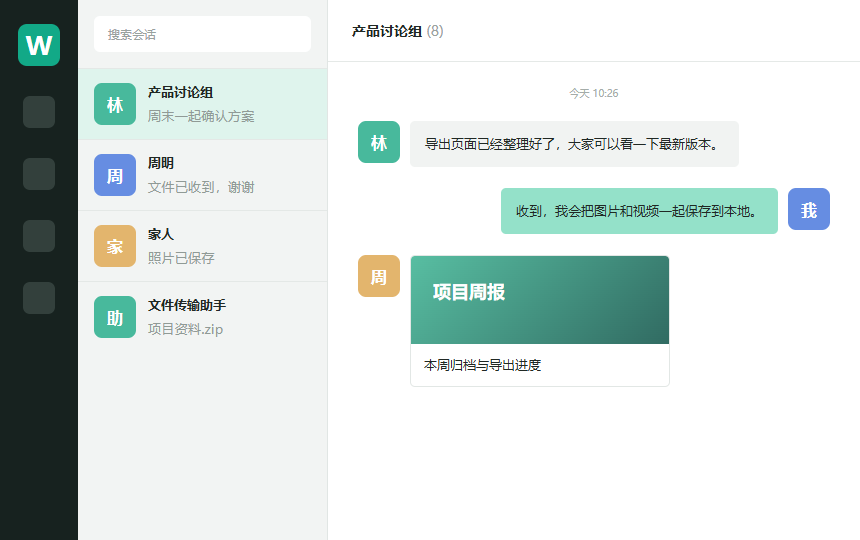
Chats, Moments, contacts, media
HTML, PDF, XLSX
WeChat data stays local
Complete, not cluttered
From data connection to long-term archives, Wemory keeps the practical workflow in one desktop app.
Browse by contact with avatars, names, images, videos, mini programs, and official account articles. Filter by date, type, or content.
Filter Moments by date and sender, view local images and videos, and retain content already synchronized.
Export chats and Moments to HTML or PDF, and contacts to XLSX. Keep the result as a standalone local archive.
Filter images, videos, and voice messages by contact. Preview, zoom, and pan while all files remain local.
When monitoring is enabled, retain recalled messages and Moments change notices to make content changes visible.
Save connected accounts and key status, then switch between WeChat accounts without repeating initialization.
Organize it your way
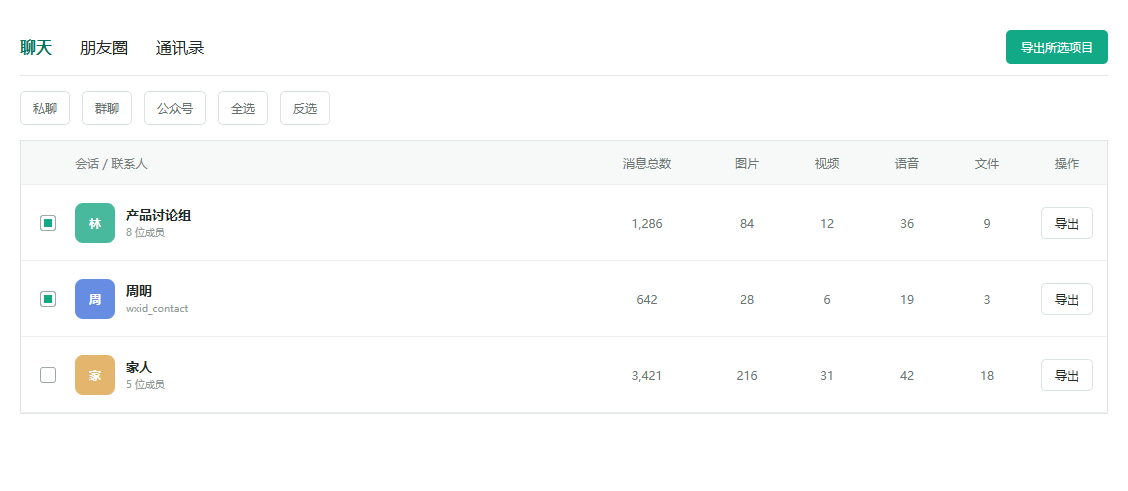
Choose chats, date ranges, and message types, then export only what matters.
Get started
Choose the WeChat data folder and recover the database and image keys before initialization completes.
Explore chats, Moments, contacts, and media by contact, date, and content type.
Select the records you need and export HTML, PDF, or XLSX with media stored locally.
Local first
Wemory reads only the local WeChat folder you choose. Chats, contacts, and media are not uploaded to Wemory servers. Network access is used for updates, activation checks, and the optional FFmpeg component download.
Read the privacy policy
Windows 10 / 11
Download the current Windows x64 release. Version and installer URL are loaded from the official release manifest.
No. Databases, messages, contacts, and media are processed locally. Network access is limited to updates, activation checks, and required component downloads.
Wemory supports chats, Moments, contacts, images, videos, and voice media. Availability depends on the local files in the selected account folder.
Chats and Moments support HTML and PDF. Contacts support XLSX. HTML exports use local media for offline browsing.
The first connection recovers database and image keys and builds a local index. Account information is saved so later access is faster.